Peace of Mind in the Age of AI

Your Complete Testing, Security & Compliance Partner for Your AI Tools

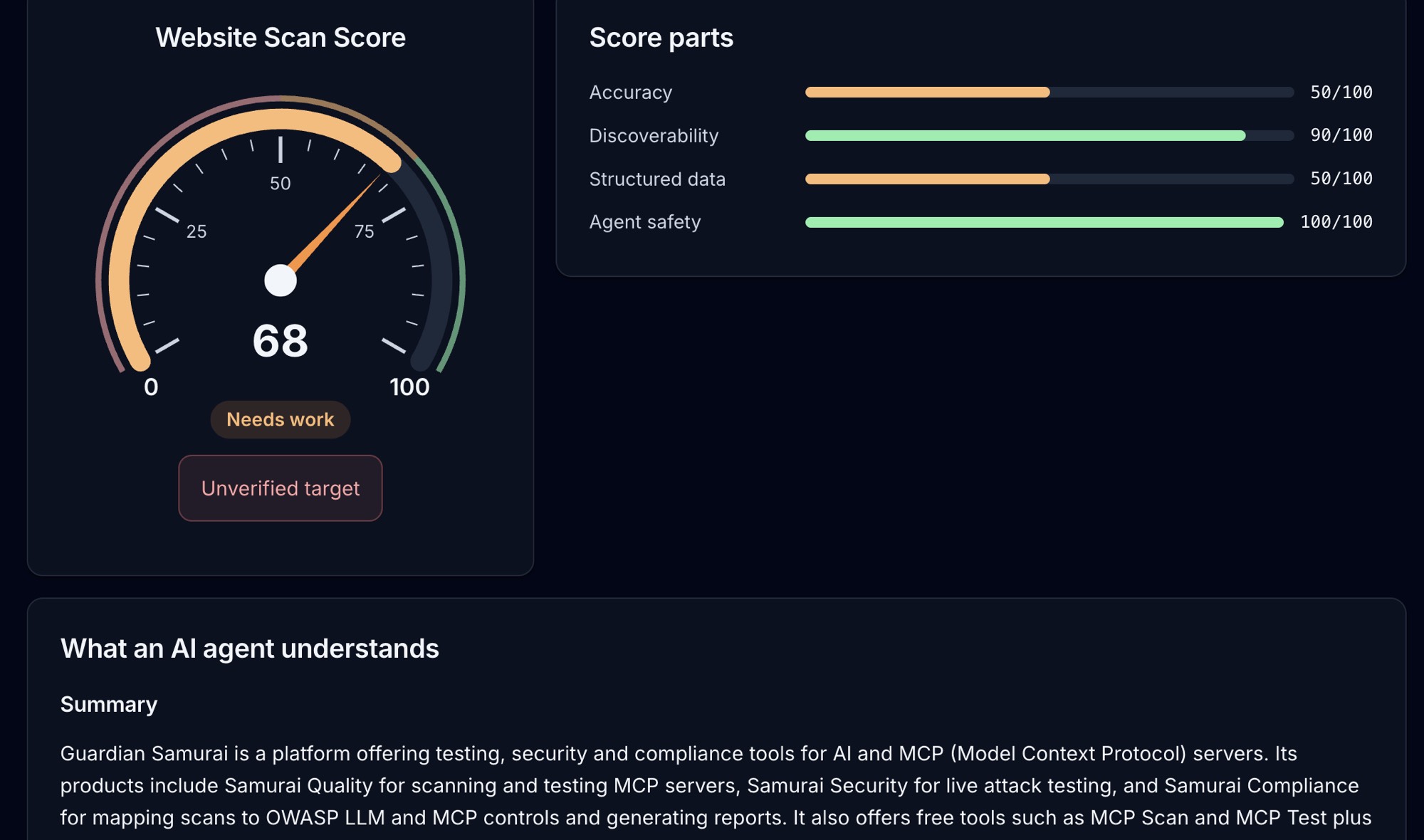
Website Scan result: a score gauge reading 68, Needs work, beside score parts for Accuracy, Discoverability, Structured data and Agent safety, and a summary of what an AI agent understands about the site
New: Website AI Scan

See your site the way AI agents do

Website AI Scan reads your site like an AI agent would, checking robots.txt, llms.txt, sitemaps and structured data, flagging hidden instructions aimed at agents, and scoring how well a model understands what you offer.
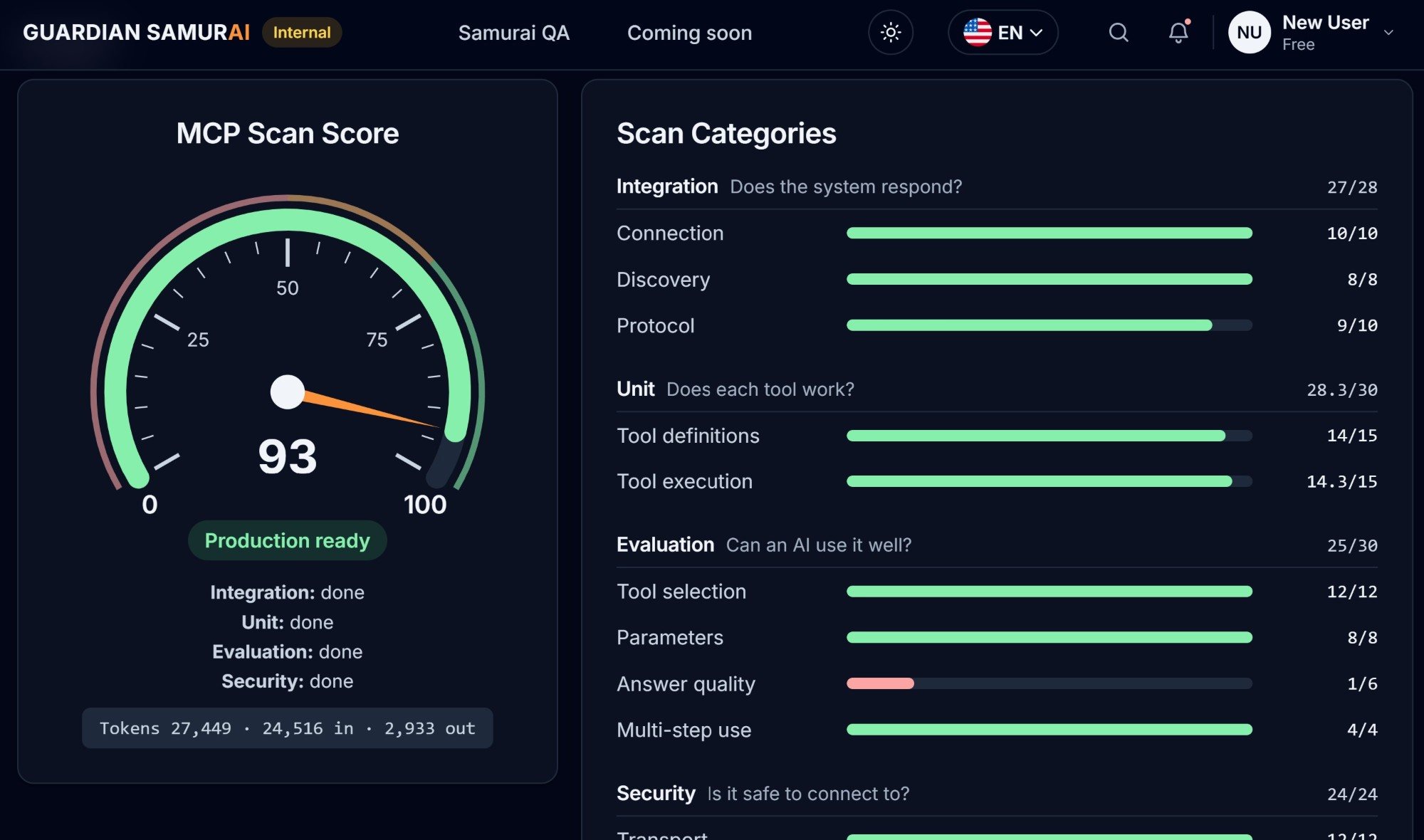
MCP scan score gauge reading 93, Production ready, beside scan categories for Integration, Unit, Evaluation and Security with a score bar for each check
MCP Scan Score

Four checks, one score

Every scan checks Integration (does it respond?), Unit (does each tool work?), Evaluation (can an AI use it well?), and Security (is it safe to connect to?), then rolls them into one score out of 100.

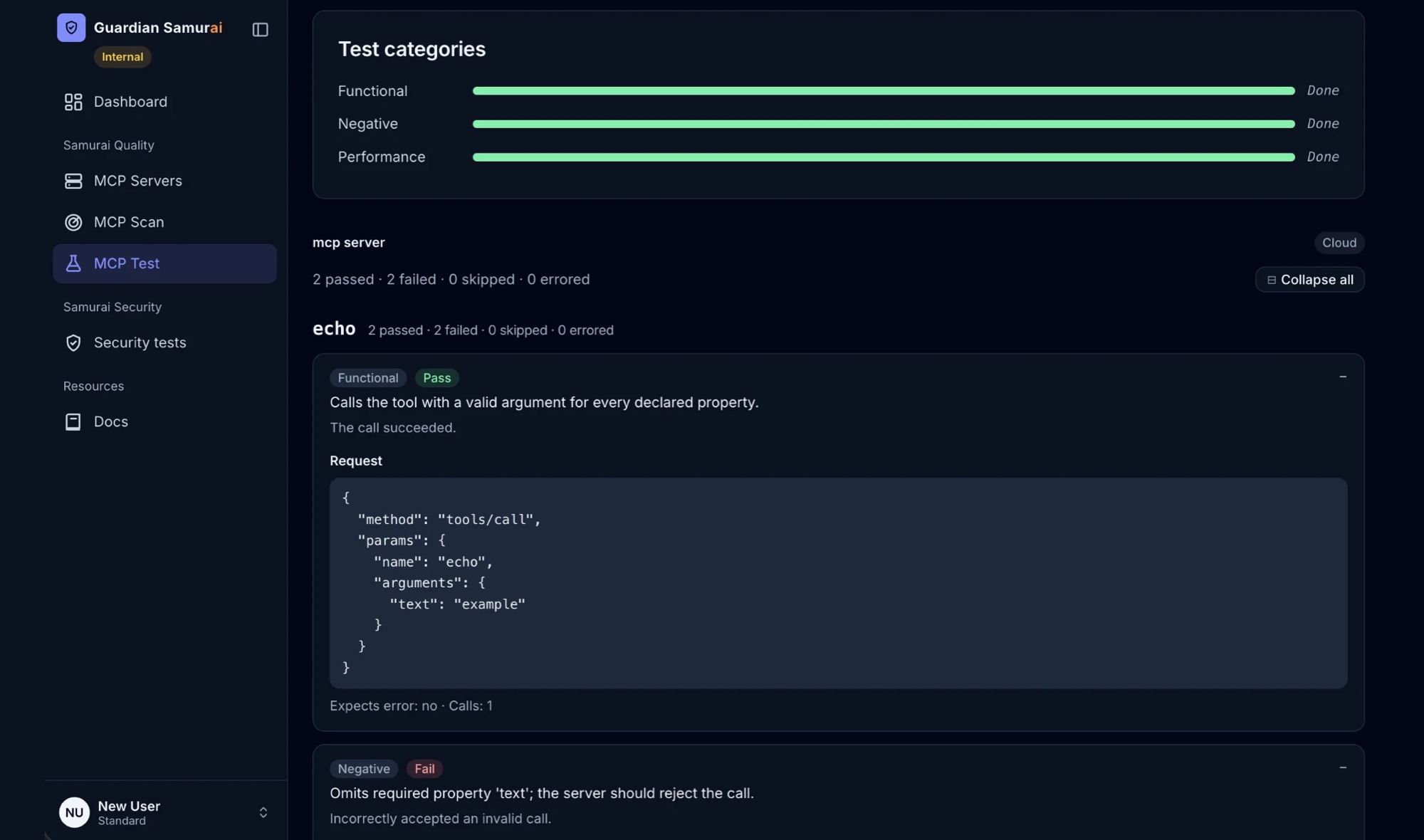
MCP Test results for an echo tool: Functional, Negative and Performance categories done, a passed functional test with its tools/call request, and a failed negative test that accepted an invalid call
MCP Test

Test every tool without writing a test

MCP Test reads each tool's input schema, generates Functional, Negative and Performance tests, calls your real tools, and shows the exact request behind every pass and fail.

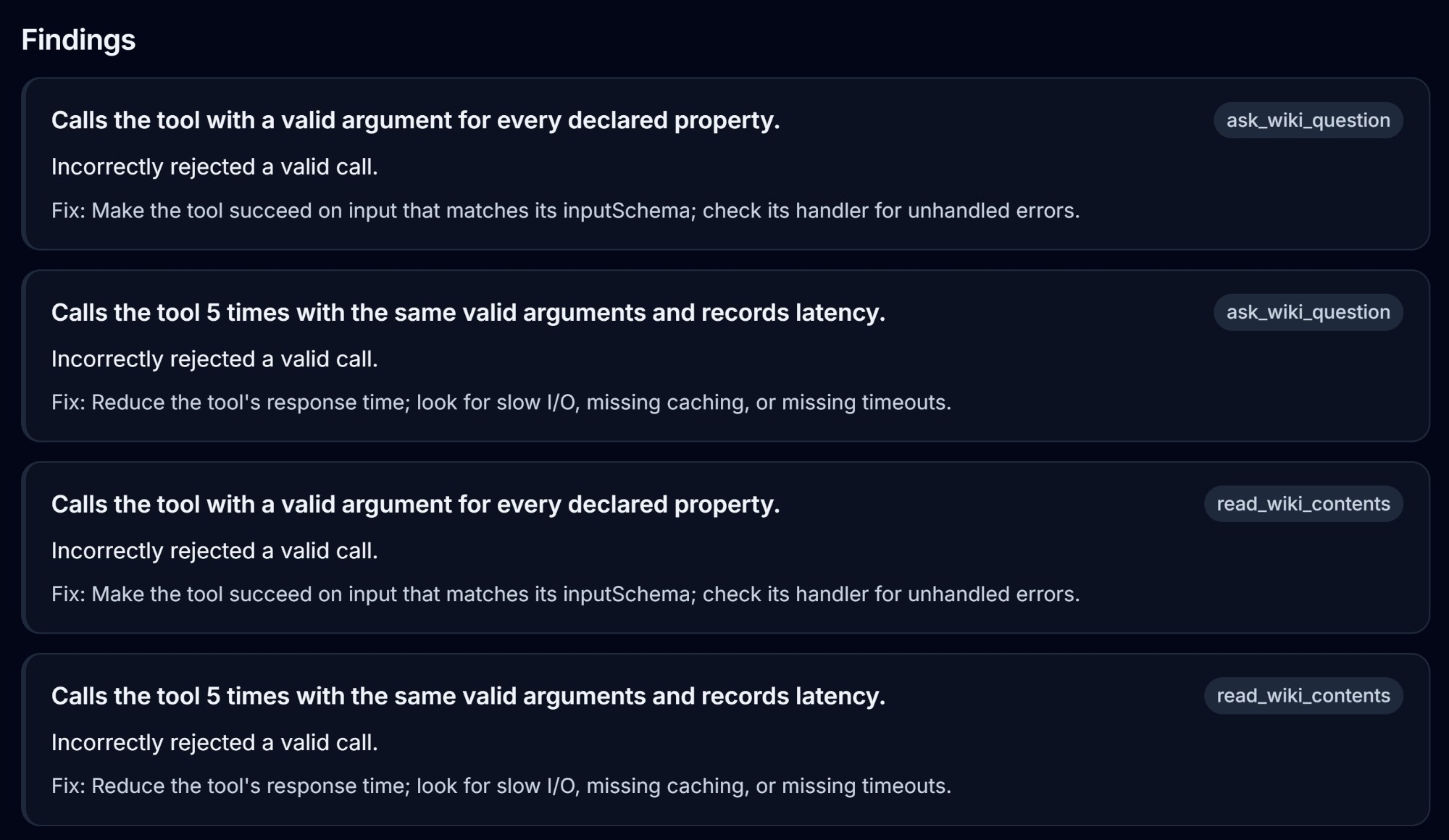
Test findings for two tools, each with a description and a fix
Actionable findings

Every finding comes with the fix

For your scans and tests alike, each finding names what failed, which tool it affects, and exactly what to change.

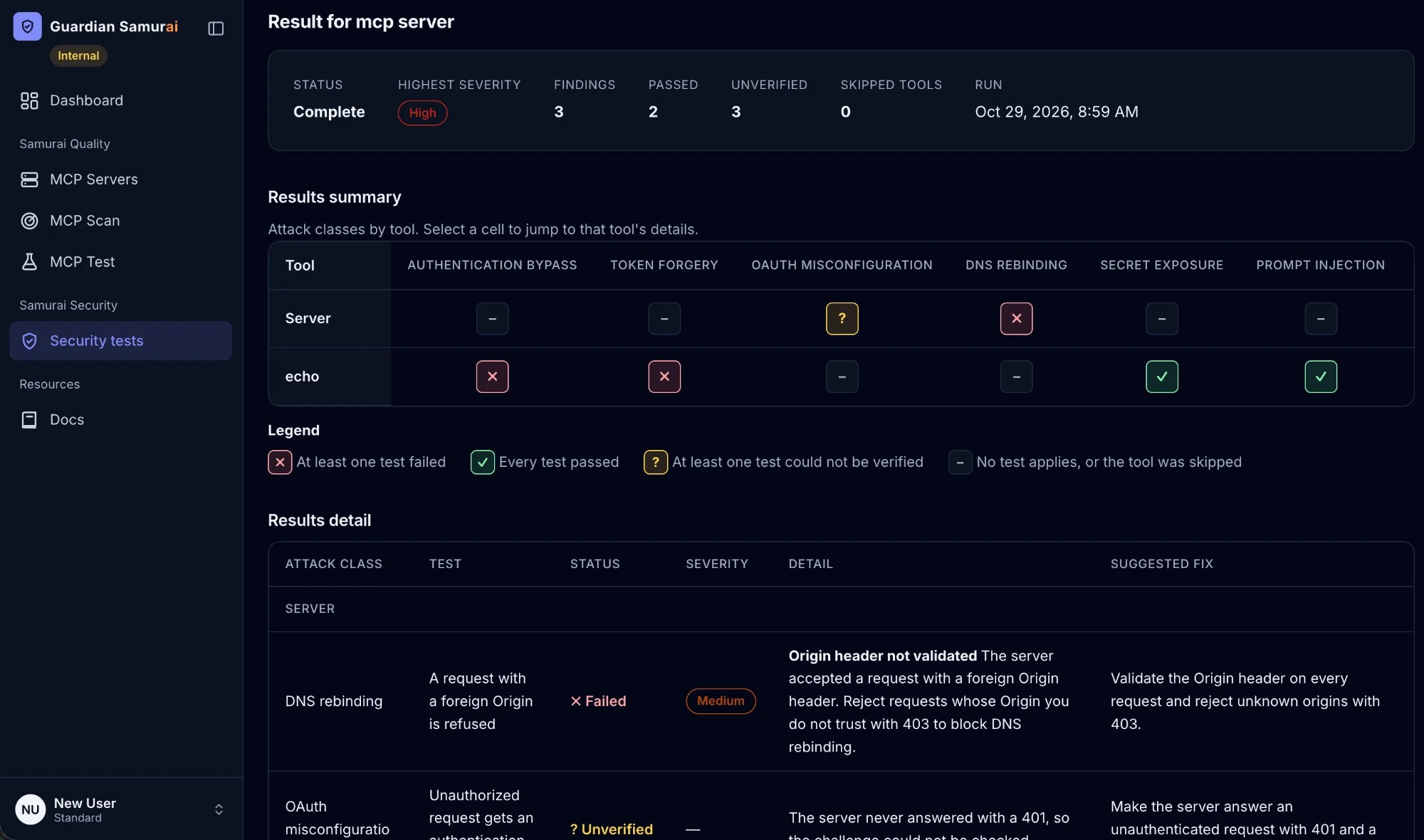
Samurai Security results: a summary matrix of tools against attack classes such as authentication bypass, token forgery, OAuth misconfiguration, DNS rebinding, secret exposure and prompt injection, a legend, and a detail row for a failed DNS rebinding test with its suggested fix
Samurai Security

Attack it before someone else does

Run an authorized live security test against your own MCP server and get a matrix of every tool against every attack class, from authentication bypass to prompt injection, with a suggested fix for every failure.

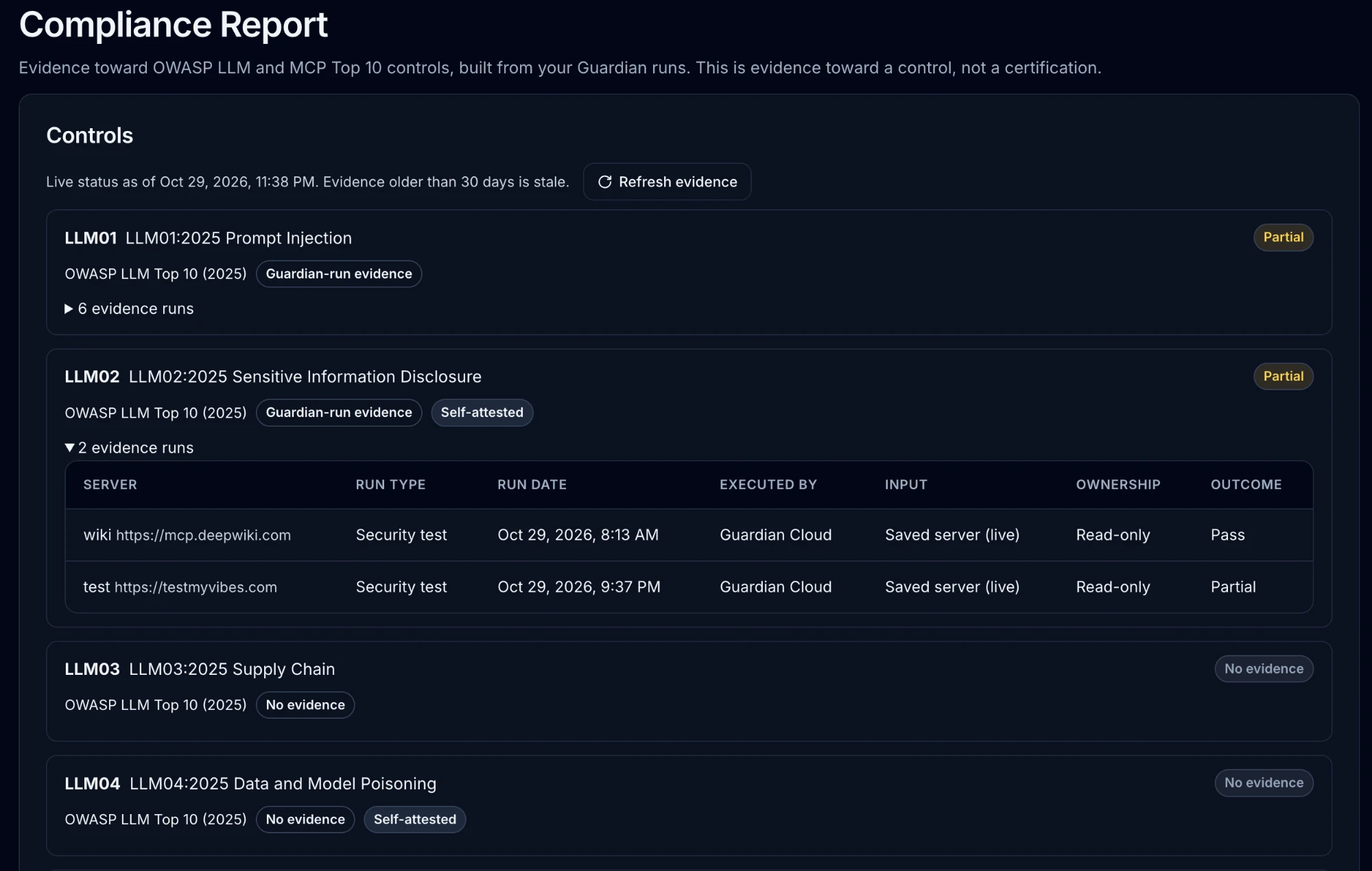
Compliance Report controls view: OWASP LLM controls marked Partial or No evidence, Guardian-run evidence and Self-attested tags, a Refresh evidence button and an expanded table of evidence runs
Samurai Compliance

Answer questionnaires with evidence

Turn the scans and tests you already run into live status for 20 OWASP LLM and MCP controls, then download an external or internal report to send to insurers and customers.

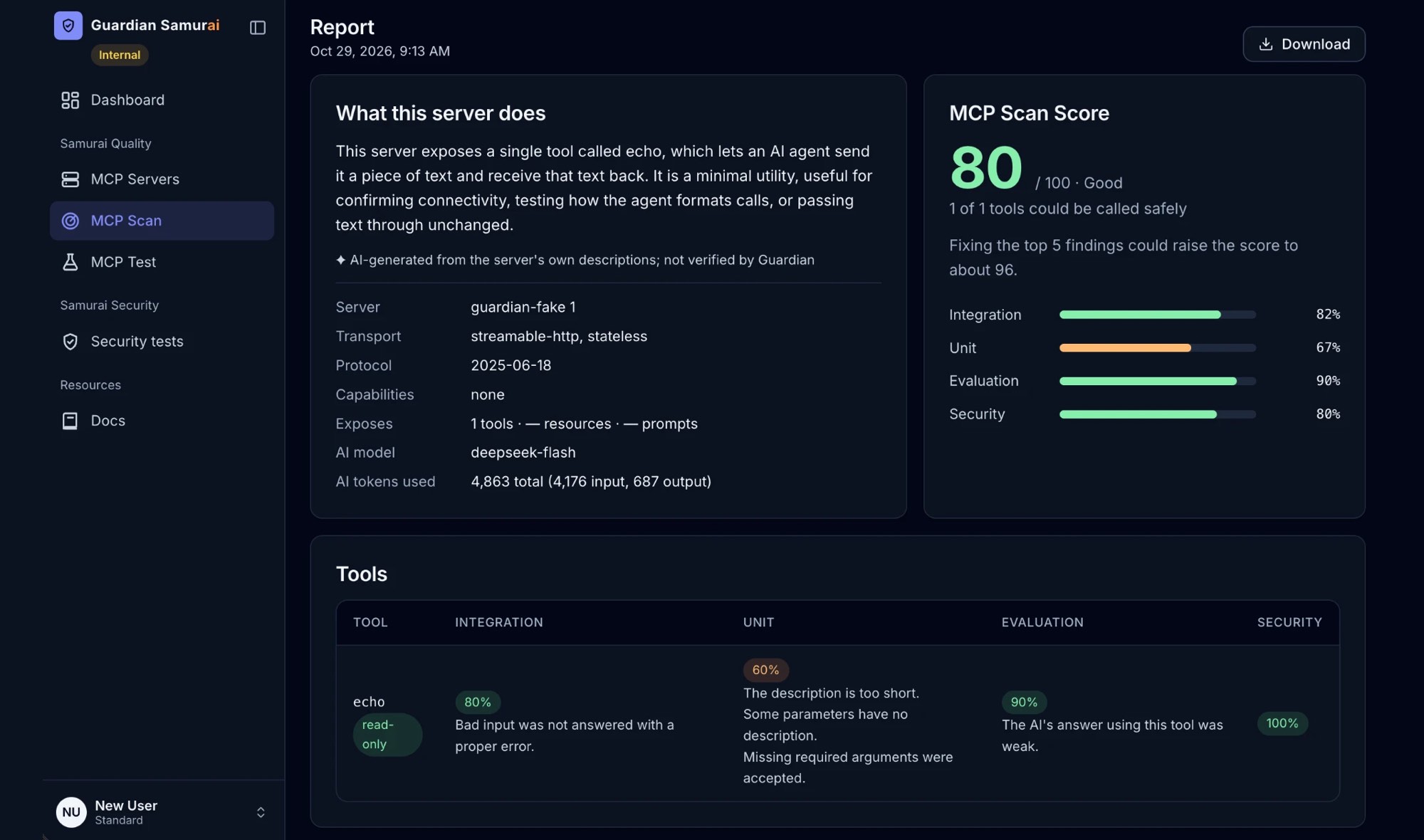
MCP scan report for the echo server: a summary of what the server does, an MCP Scan Score of 80 with Integration, Unit, Evaluation and Security bars, a per-tool breakdown, and a Download button
Report downloads

Share results with your team

Download any scan report as PDF, CSV or HTML, and export test plans the same way, to share with teammates or attach to a review.

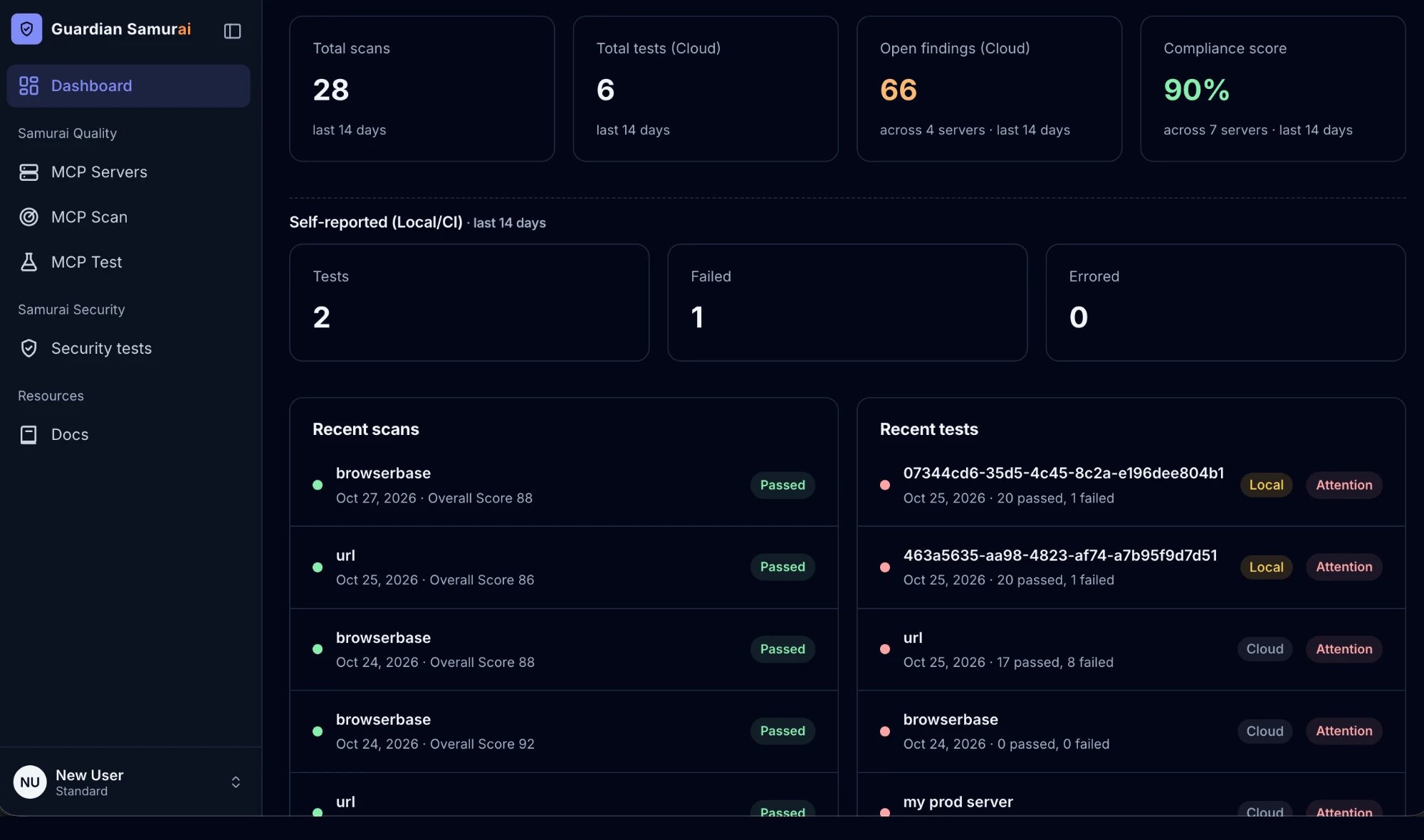
Dashboard with total scans, total tests, open findings, compliance score, and lists of recent scans and tests
Dashboard

Your security posture at a glance

Scans, tests, open findings, and compliance score across every server you monitor, with each recent run marked Passed, Review, or Attention.

Built for hybrid teams

Frontend, backend and security may work from different places and on different schedules. On Guardian Samurai they work as one cohesive team.

Individual responsibilities with shared results

Frontend engineers make sure the website works, stays secure, loads fast and is easy for AI agents to discover and understand. Backend engineers make sure the MCP servers work and that AI agents can use their tools well. Each person runs their own scans and tests, and every result and finding shows up in your team's shared history as soon as the run finishes. Nothing stays in one person's inbox.

  • FrontendHow AI agents discover your website
  • BackendHow AI evaluates your MCP servers
  • EveryoneOne dashboard, history and findings

Every scan sharpens the attack

What your website and MCP scans learn goes straight into Samurai Security, which tests how AI agents could be used to attack your MCP servers. An approved website entity map puts your product's own names and terms into the prompt-injection and context-injection probes, and the attacks target the tools your MCP servers actually expose. Your security team tests with attack prompts built for your product, not generic ones.

  • Website scan
  • MCP scan
  • Sharper attack prompts

One evidence-backed compliance report

Everything your team checks, from how AI evaluates your MCP servers to how AI agents could attack them, becomes evidence in Samurai Compliance. Each of the 20 OWASP LLM and MCP controls shows its live status, which runs back it up and whether Guardian Samurai or your team ran them. Download an external or internal report to send to insurers, customers and auditors.

  • Every run
  • 20 controls
  • Compliance report

How it works

Five steps from an untested MCP server to evidence you can stand behind, with security built into every one of them.

  1. Connect your MCP servers

    Add a server once by URL or JSON and your whole team can scan, test and attack-test it. Public, private and local stdio servers are all covered.

    • Saved servers are shared across your organization, with secrets masked on screen
    • Test private and stdio servers with the Guardian CLI: headers, arguments and secrets stay on your machine
    • Every CLI release is signed, so you can verify it with cosign before the first run
  2. Scan and score in seconds

    MCP Scan checks four categories and rolls them into one score out of 100 and a certification level from 1 to 3, so you have a single number to track.

    • Integration, Unit, Evaluation and Security, each with its own score bar
    • Live tool discovery cross-checks every tool the server exposes, so nothing undisclosed slips through
    • When a check can't run, we cap the grade and say why. The score never claims more than we tested
  3. Test every tool

    MCP Test calls each tool with real requests to prove it works, rejects bad input and responds fast enough for your agents.

    • Functional, Negative and Performance tests, with a time estimate before you run
    • The web app calls tools that change data only on saved servers whose ownership is confirmed
    • Run the same tests locally or in CI with the Guardian CLI; every run is labelled Cloud, Local or CI
  4. Attack it before someone else does

    Samurai Security runs an authorized, live security test against your own server across seven attack classes.

    • Authentication bypass, token forgery, OAuth misconfiguration, DNS rebinding, secret exposure, prompt injection and path traversal
    • A security plan shows every test and exactly what we send before a single request goes out
    • Only Admins and Security members can start a run, and every report records who authorized it
  5. Fix it and prove it

    Every finding says what failed, which tool it affects and the exact change that resolves it, so your team spends time fixing, not investigating.

    • A results matrix shows every tool against every attack class at a glance
    • Findings are ranked by severity, each with a suggested fix
    • Your dashboard, full run history and exports show progress to your team and your auditors

We take your security as seriously as our own

Every request our cloud sends carries a Guardian User-Agent and run ID, so server owners can always trace it. Your saved secrets stay masked, our staff can't sign in as you or see your results, and nothing that changes data runs without your say-so.

See how we protect your servers

Ready to see what's running on your servers?

Your first test takes less than a minute.

Test a server