Ship your products with confidence
Before your website or MCP server reaches customers, Samurai Quality shows how AI agents read your site, scans your MCP server for security gaps, tests every tool it exposes, and checks each release on your own machine or in CI. Find the problems before your users and their AI agents do.
What keeps teams from shipping
Putting an MCP server in front of the public means handing your tools to AI agents you don't control. These are the questions every team has to answer first.
Is it secure?
Open endpoints, leaked secrets, weak transport or tool descriptions that steer an agent into exfiltrating data can turn a launch into an incident.
MCP ScanDo the tools actually work?
A tool that rejects valid calls, accepts bad input or answers slowly breaks every agent that depends on it, and you hear about it from customers.
MCP TestWill the next release break it?
Every change can quietly break a tool. You need to catch it on your laptop or in CI, before the server is public.
Guardian CLICan we prove it?
Customers and reviewers ask how you know it's safe. You need a score, a level and a history, not just a promise.
DashboardSee your site the way AI agents do
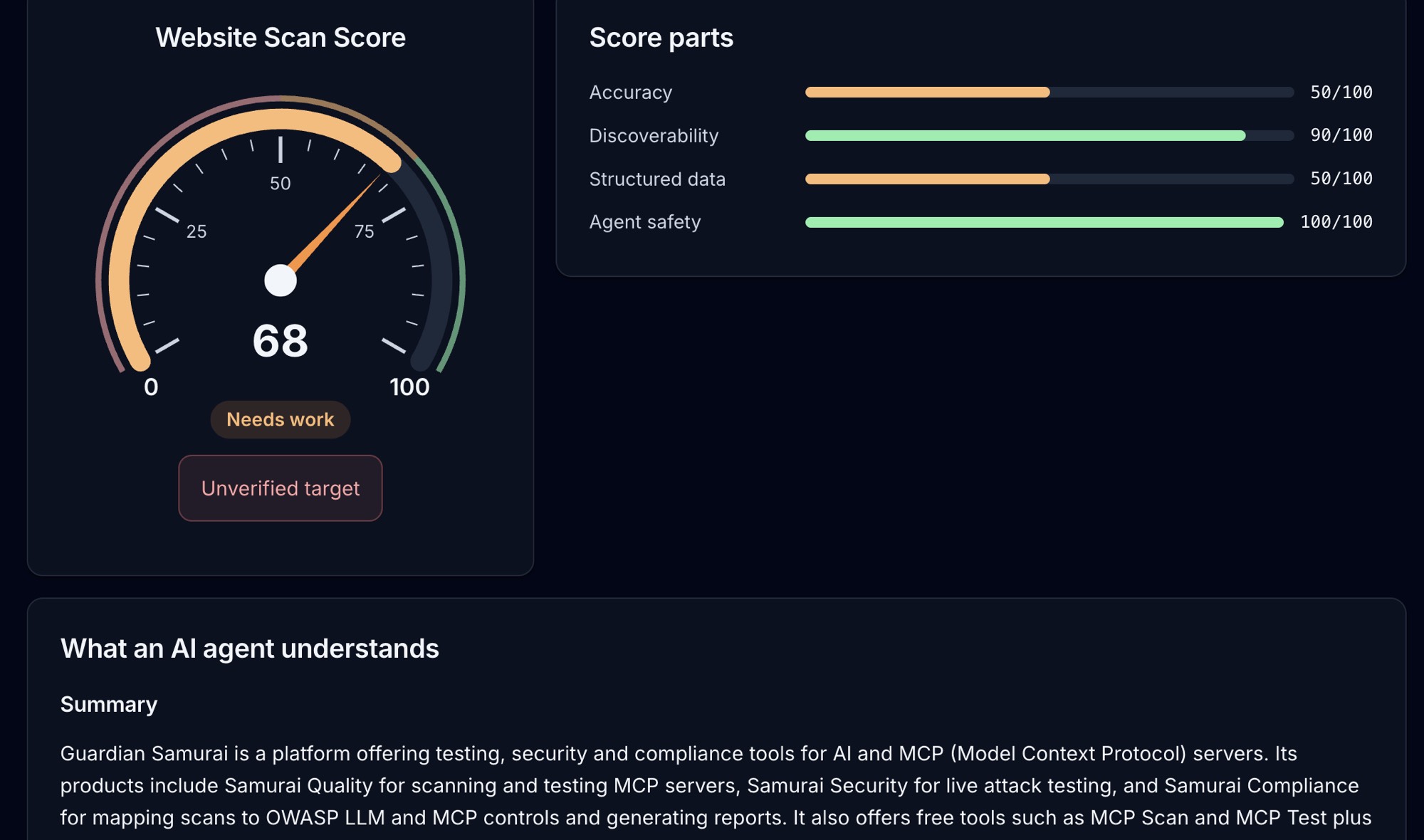
Website AI Scan reads your production website the way an AI agent would, scores how well it describes itself, and shows what a model actually understood about your business.
- Discoverability: robots.txt, llms.txt, sitemaps and the files agents look for
- Accuracy and structured data: does a model that reads your pages get what you offer?
- Agent safety: flags hidden, instruction-like text aimed at AI agents
Four checks, one score
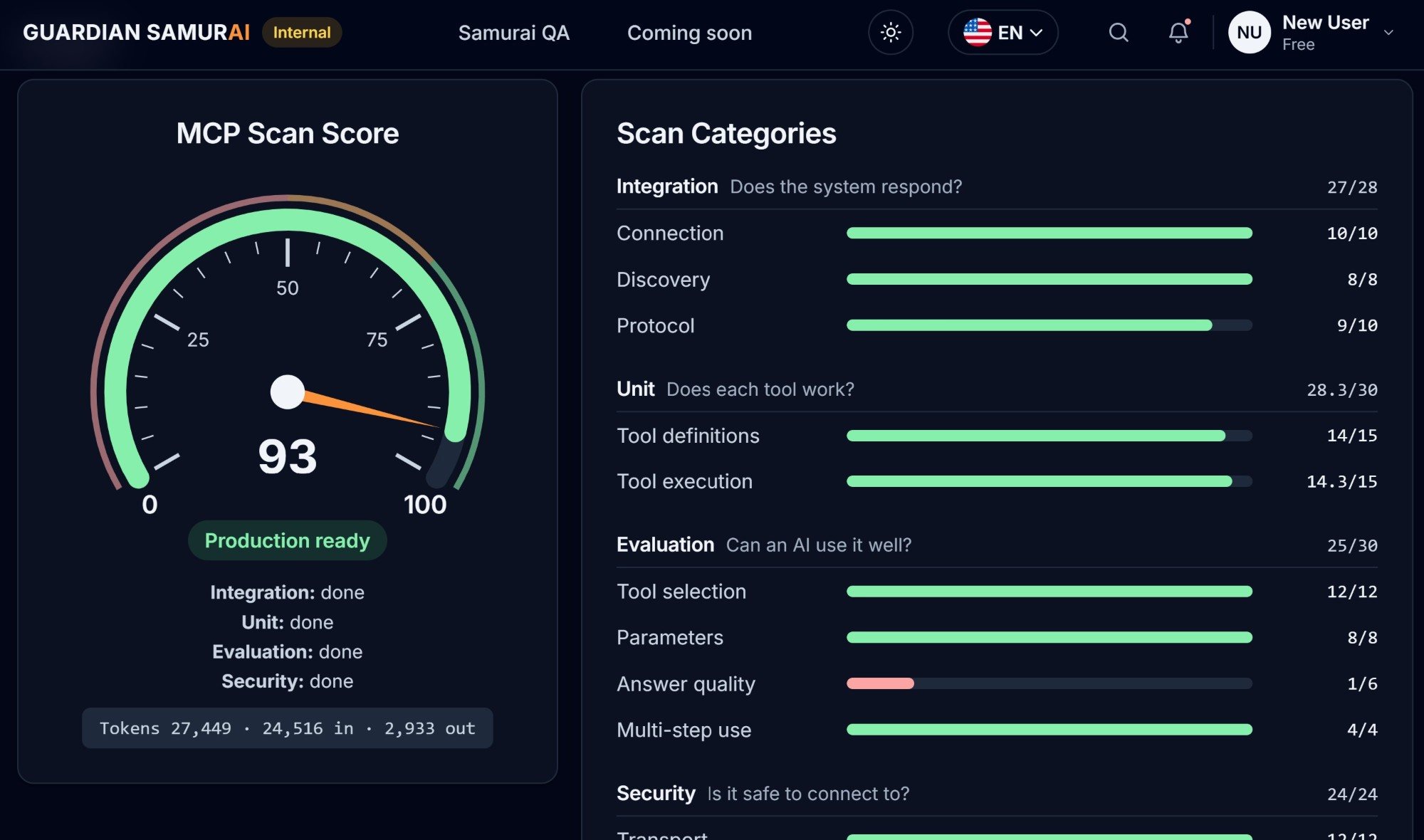
Point MCP Scan at a server URL or your MCP JSON configuration. It checks four categories (Integration, Unit, Evaluation and Security) and rolls them into one score out of 100.
- Integration and Unit: does the server respond, and does each tool work?
- Evaluation: can an AI pick the right tool, fill in its parameters and use the answers well?
- Security: transport, authentication and tool safety, with a score bar for every check
Test every tool without writing a test
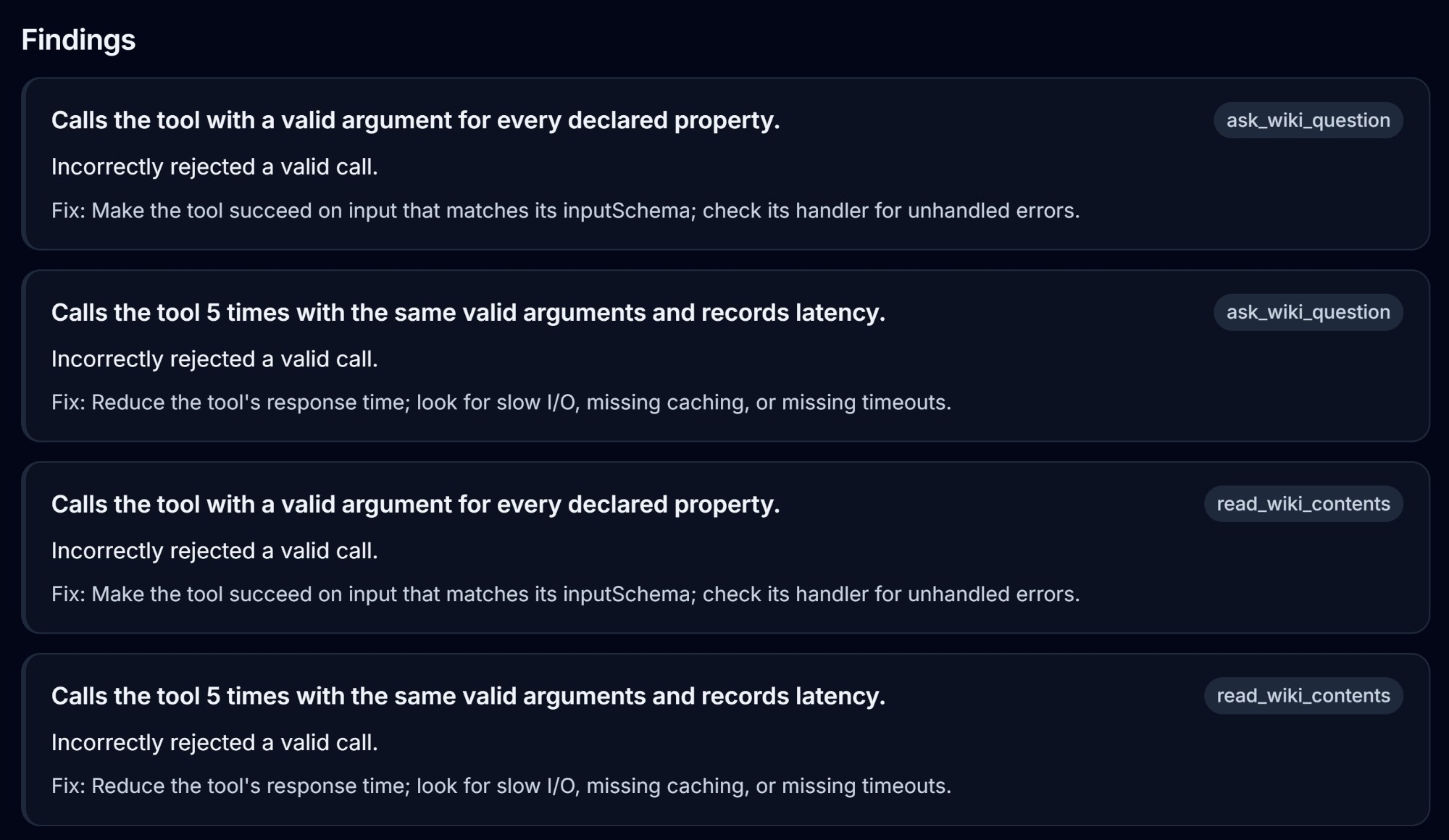
MCP Test reads each tool's input schema and generates the test cases for you. It calls your real tools and reports what passed, what failed and how to fix it.
- Functional: a valid call to every tool must succeed
- Negative: missing fields, wrong types and unexpected arguments must be rejected
- Performance: repeated calls measure minimum, average and maximum latency
See exactly what gets tested
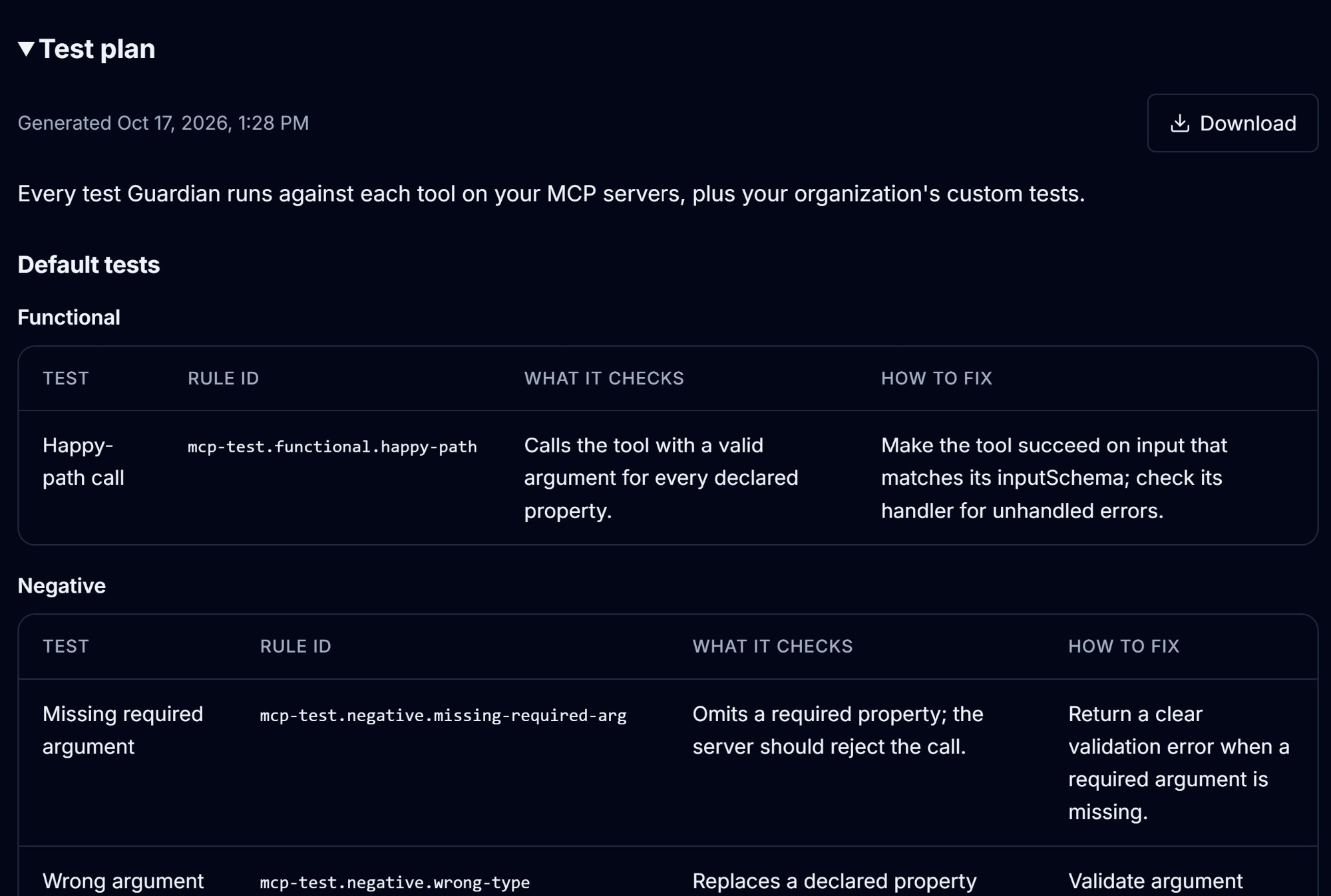
Your test plan lists every test Guardian runs against each tool on your MCP servers, plus your organization's custom tests. Review it in the app or export it to share with your team and reviewers.
- Every default test, grouped into functional, negative and performance
- Each test's rule ID, what it checks and how to fix a failure
- Export as PDF, CSV or HTML to share or attach to a review
Test before anything is public
The guardian command runs your test plan against an MCP server on your own machine or CI runner. Nothing has to be deployed, your headers, arguments and secrets stay on your machine, and the exit code passes or fails the build.
- Connects to any dev or staging host
- Previews every call and asks first; tools that write, delete or send are skipped unless you allow them
- A JSON report and a clear exit code, ready for any CI pipeline
guardian test --plan plan.json \
    --target-url http://localhost:3000/mcp
guardian: target http://localhost:3000
guardian: cases: 12
guardian: calls to make: 16
guardian: skipped: 0 env reference, 1 side effects, 0 not listed
guardian: will call:
guardian:   get_page: 10 calls
guardian:   search_docs: 6 calls
guardian: skipped (side effects):
guardian:   delete_page: 1 case
guardian: run 16 calls to localhost:3000? [y/N] y
echo $?
0
One place to prove it
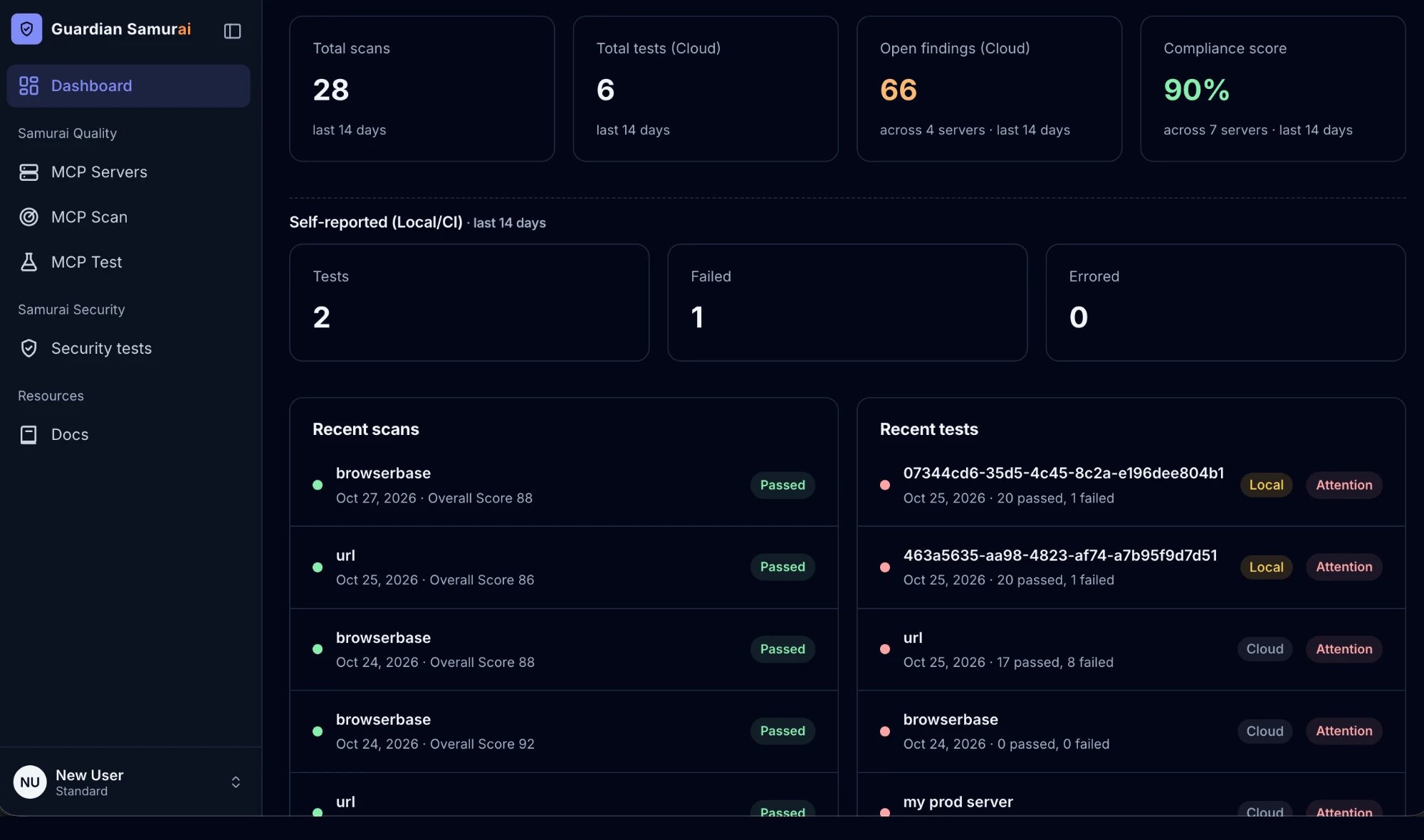
Every scan and test lands in your dashboard, so you can show customers and reviewers where each server stands and how it got there.
- Totals for scans, tests and open findings across your servers
- A compliance score you can track release over release
- Recent scans and tests with their status at a glance
How the CLI tests your local server
One command, four steps, all on your own machine or CI runner.
- 1Test planA plan file lists the tool calls to make and what each one should return.
- 2guardian testChecks the run is safe before a single tool is called.
- local HTTP server or stdio command
- previews the calls and asks first
- performs full regression, negative and performance tests against all your tools
- 3Your local MCP serverNothing is deployed. Only a result summary goes to your Guardian account, and you can turn that off.
- 4Report and exit codeA JSON report of every case, and an exit code your CI uses to pass or fail the build.0 pass1 fail2 error