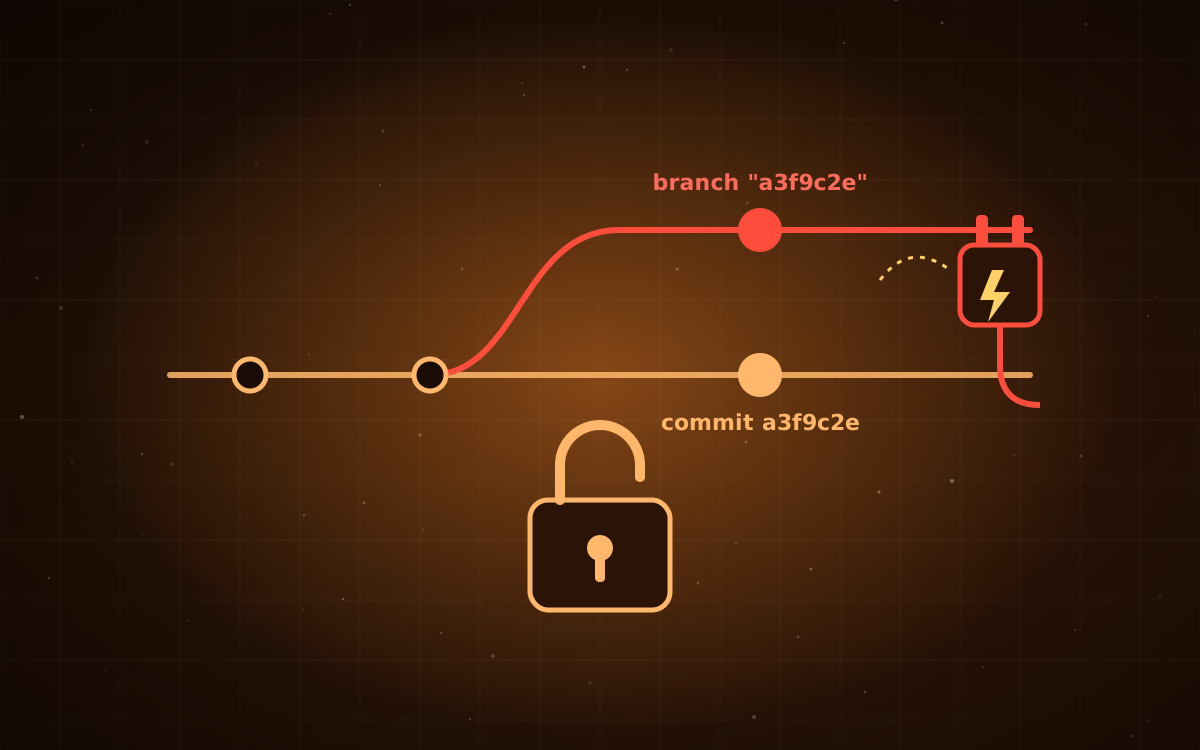
Plugins and extensions have become one of the most useful features of AI coding agents. With a single command you can give your agent new skills, integrations, and workflows. That convenience depends on a promise: the plugin you reviewed is the plugin you run. Research published on September 18 shows that promise didn't always hold.
What Plugin4Shell is
Researchers at Air Security found a flaw they named Plugin4Shell. It affects the plugin systems of four major AI coding agents. Each agent lets you pin a plugin to a specific, reviewed version using a commit hash. The idea is that even if the plugin author later pushes something malicious, you keep running the version you checked.
The researchers found the gap sat between fetching and checking: the agents recorded a hash as the pin, then downloaded code without confirming it was the commit that hash pointed to. A repository owner could create a branch or tag whose name looks like the pinned commit hash, and the agent would fetch the code from that branch. The version looks locked, but the code has been swapped. The swapped plugin runs with the same permissions as the user, so it can reach your files, credentials, and connected systems.
Who's affected, and what to do
| Agent | Status | |---|---| | Claude Code | Fixed in v2.1.179 | | OpenAI Codex | Fixed in v0.146.0 | | GitHub Copilot | No fix available at time of reporting | | Google Gemini CLI | Won't be patched; users are directed to Antigravity |
If your team uses Claude Code or Codex, confirm everyone is on the fixed version or later. That's the first action.
How big is the risk?
It's narrower than it first sounds. GitHub blocks branch names that look like commit hashes, so the trick mostly doesn't work for plugins hosted on GitHub, which covers most publicly distributed plugins. The researchers note that the exposure is mainly for plugins hosted elsewhere, such as Bitbucket, self-hosted Git servers, or private infrastructure. Auto-updates by default also apply only to GitHub-hosted marketplace plugins.
The risk is still real for teams that host internal plugins on their own Git servers or install community plugins from outside GitHub. Those are also the plugins least likely to have been reviewed carefully.
The broader lesson for AI tools
Plugin4Shell follows a familiar pattern in AI tooling this year: the model isn't the weak point, the plumbing around it is. Agents fetch code, run subprocesses, and load configuration using ordinary developer infrastructure, and assumptions that were safe for a human at a terminal don't always hold when an agent does the same work automatically and with broad permissions.
A five-minute checklist
- Update Claude Code and Codex to the patched versions on every developer machine and CI runner.
- Inventory plugins. List every plugin your agents load and where each one is hosted.
- Flag non-GitHub sources. For anything hosted elsewhere, check who controls the repository and whether they can create arbitrary branches or tags.
- Restrict who can add plugin sources. Where your agent supports managed settings, limit plugin marketplaces to an approved list.
- Treat plugins as dependencies. Review them, track them, and include them in your software inventory, the same way you handle npm or PyPI packages.
Sources